Redact sensitive info in any image

Blur faces, black out IDs and text, and redact screenshots — with a local AI scan that finds private information automatically.

Drop image here or paste a screenshot

JPG · PNG · WEBP — up to 20 MB · No upload, no account

AI redaction that never leaves your device

AI does the finding

Drop in a photo and RedactPix spots every face, and an optional local AI scan flags sensitive text like emails, phone numbers and IDs — hide them all with one click.

Your files stay yours

Nothing is uploaded. Every scan and redaction runs on your device, so personal documents and family photos never touch the cloud.

Ready to share in seconds

Pick a file, redact, download. No install, no account, no waiting — and the exported PNG has its metadata stripped automatically.

See it in action

Drag the slider to compare an image before and after redaction. Faces, names, IDs and contact details — all hidden, all on your device.
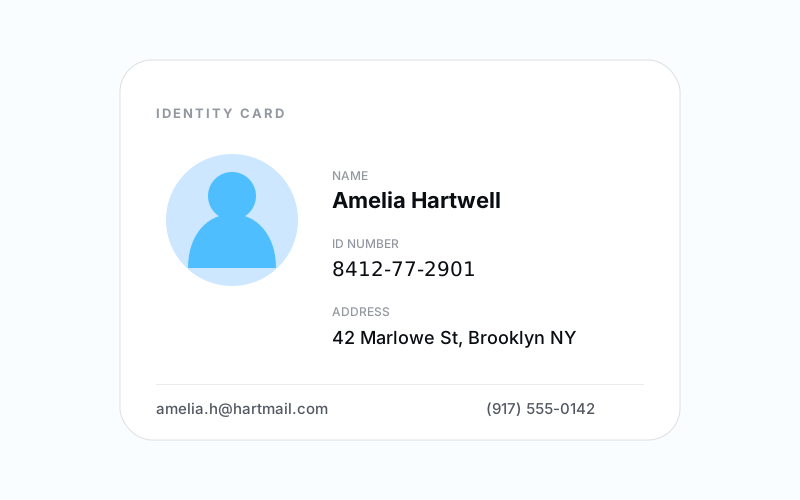
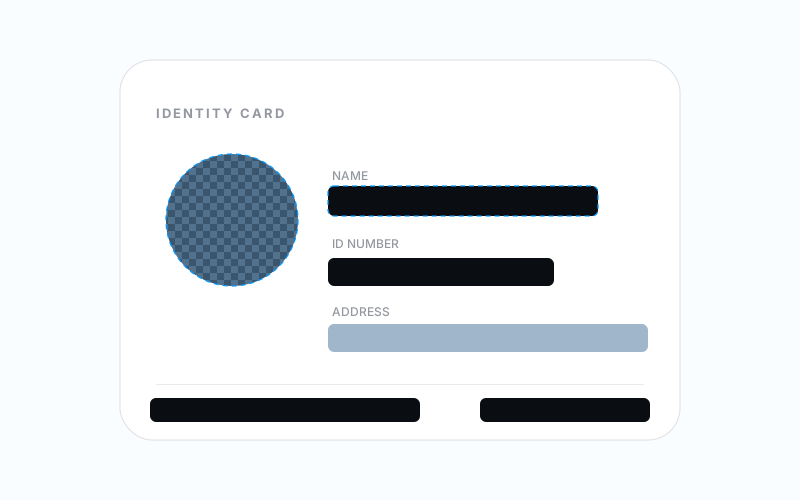
A sample identity card before redaction, showing a name, ID number, address, email and phone. The same identity card after redaction, with faces and text blacked out or blurred. Before After

Black out the details on an ID — or blur faces, mosaic photos, and scan for private text.

How RedactPix Works

Four steps from raw image to a safely redacted, flattened file.

Step 01

Upload or paste an image

Choose a JPG, PNG, or WEBP file, drag it in, or paste a screenshot straight from your clipboard.

Step 02

Scan or mark sensitive areas

Click Scan for Private Info to find sensitive text, private text and faces in one pass. Or drag on the image to draw a manual box over anything the scan missed.

Step 03

Choose blackout, blur, or mosaic

Pick how each area is occluded. Every box can use a different method.

Step 04

Download a flattened image

Export a single PNG with the redaction baked into the pixels — no layers, no editable objects.

Frequently asked questions

Everything about how RedactPix keeps your images private.

Will RedactPix have access to my image?
No. Your image is never sent to a server — every scan and redaction runs directly in your browser. The local AI document scan and face detection both run on your device too.
What file formats are supported?
RedactPix opens JPEG, PNG, and WebP images up to 20 MB, with no image side over 6000 px.
Can RedactPix automatically find private information?
Yes. Click Scan for Private Info and RedactPix scans the image in your browser for sensitive text (like emails, phone numbers, URLs and card-like numbers), private text (like names, addresses and dates) and faces, then suggests redaction areas you can review. Detection may miss some content, so always review before downloading.
Can I use RedactPix on my mobile device?
Yes. RedactPix works on both desktop and mobile browsers, so you can redact images on the go.
Does RedactPix use cookies or track me?
No. RedactPix does not use cookies, does not rely on third-party tracking services, and does not track you.
Does RedactPix strip location/GPS data from images?
Yes. Exported images have their metadata, including GPS/location data, stripped automatically.
Is RedactPix free to use?
Yes. RedactPix is free, with no account required. Open the page and start redacting.
Is black box safer than blur?
Generally, yes. A solid black box fully covers the original pixels. Blur or a light mosaic can sometimes leave enough detail to be recovered, so a black box is the safest choice for sensitive text.